
For the TLDR Get start . Ventoy
Select and install your preferred version, either windows or linux
Run the program after unzip
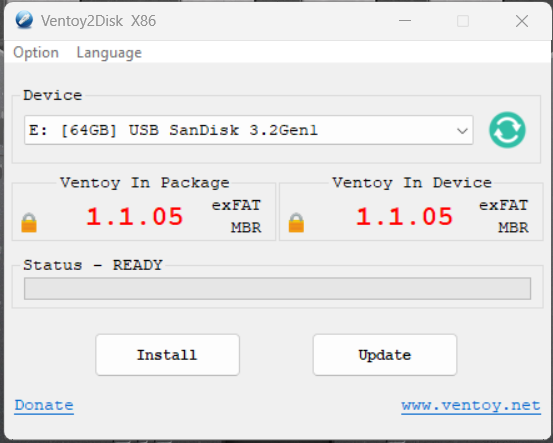
Click on Install button to install Ventoy into your USB drive.
Once it is done, open the Computer Management to verify Ventoy installation.
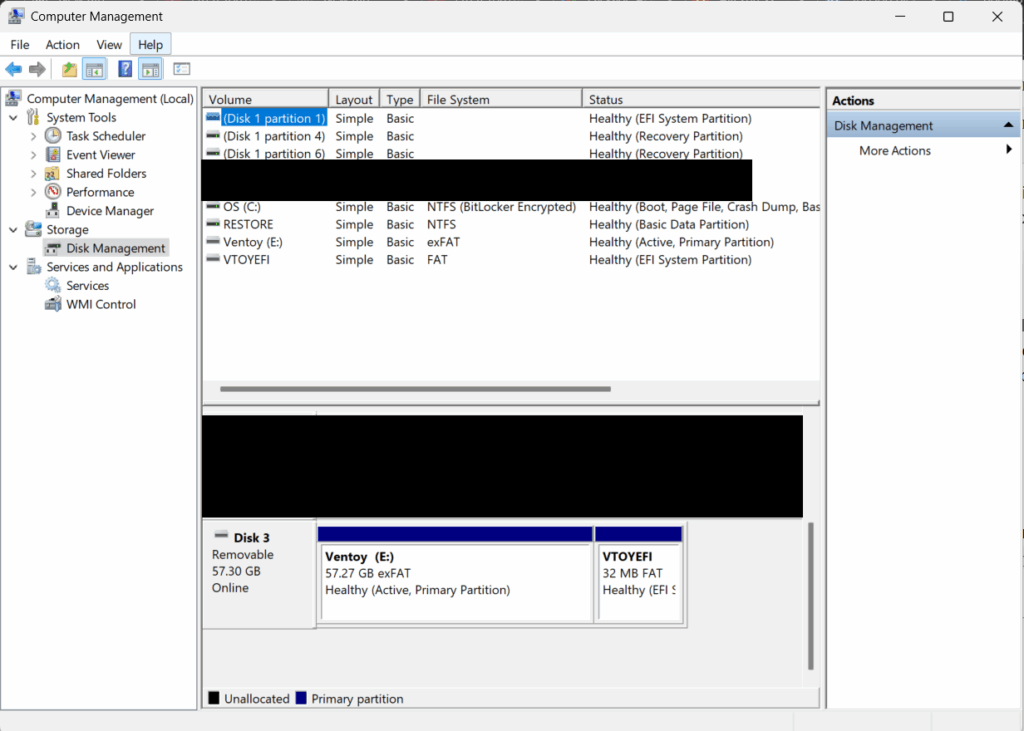
Upon install a partition VTOYEFI will be a 32MB partition in your USB drive.
Next place all your intended ISO into the counterpart partition.
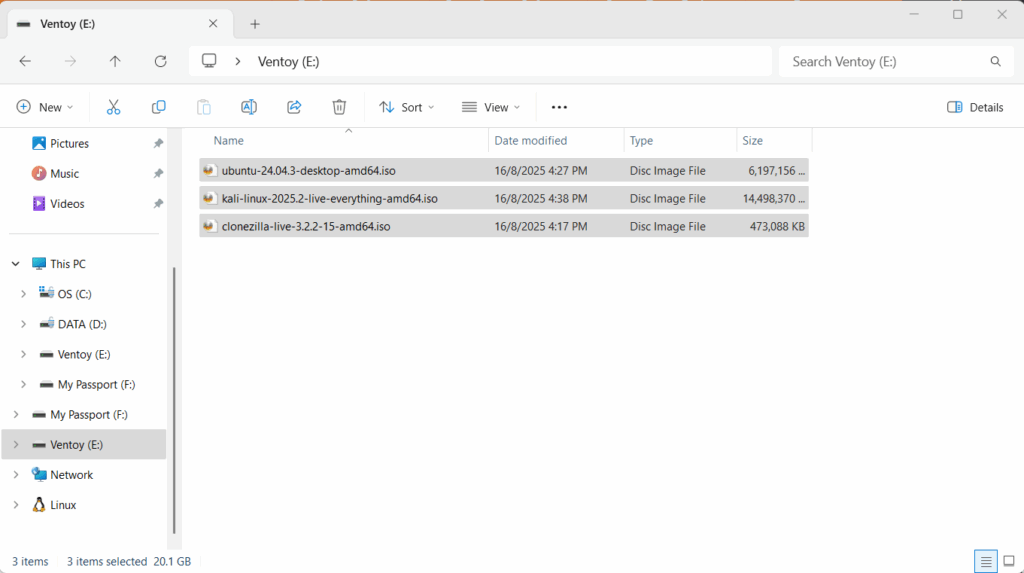
You can now boot a computer using Ventoy.